Give customers a reason to come back.
Create email campaigns using the customer and pet details already in Tato. Share news, promote services, and reconnect with customers between visits.
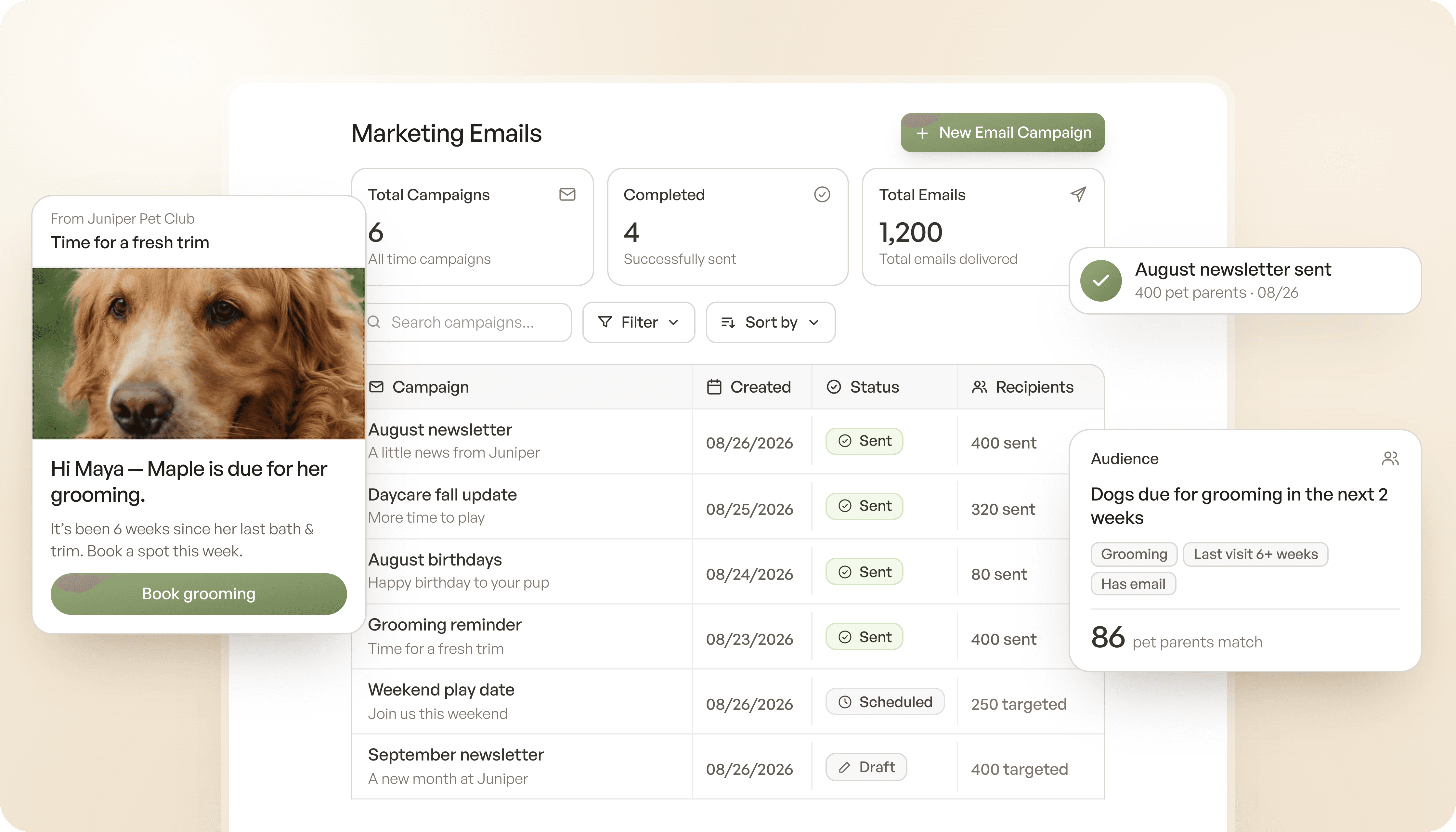
From an idea to their inbox.

Customer audiences
Choose recipients using membership, visit, and pet information already in Tato.
Customer audiences
Choose recipients using membership, visit, and pet information already in Tato.
Customer audiences
Choose recipients using membership, visit, and pet information already in Tato.

Reusable templates
Start with a template or save a design to use for your next campaign.
Reusable templates
Start with a template or save a design to use for your next campaign.
Reusable templates
Start with a template or save a design to use for your next campaign.

Previews & test emails
Check desktop and mobile previews, then send yourself a test before customers see it.
Previews & test emails
Check desktop and mobile previews, then send yourself a test before customers see it.
Previews & test emails
Check desktop and mobile previews, then send yourself a test before customers see it.

Scheduled sending
Send your campaign now or choose a future date and time.

Scheduled sending
Send your campaign now or choose a future date and time.
Scheduled sending
Send your campaign now or choose a future date and time.

Campaign results
Review deliveries, opens, clicks, and bounces after you send.
Campaign results
Review deliveries, opens, clicks, and bounces after you send.

Customer preferences
Tato excludes customers who have unsubscribed from future marketing emails.
Customer preferences
Tato excludes customers who have unsubscribed from future marketing emails.
Make each message more relevant.
Start with the right audience.
Use membership status, visit history, pet details, and birthday month to choose who receives your campaign. Invite customers who haven’t visited recently or share a member update. Preview your audience size before you send.
Book a demo

Start with the right audience.
Use membership status, visit history, pet details, and birthday month to choose who receives your campaign. Invite customers who haven’t visited recently or share a member update. Preview your audience size before you send.
Book a demo
Create it once. Make it yours.
Choose a template, add your message and images, and check how the email looks on desktop and mobile. Send yourself a test, then save the design for next time. You can also duplicate a past campaign and update it for a new announcement.
Book a demo
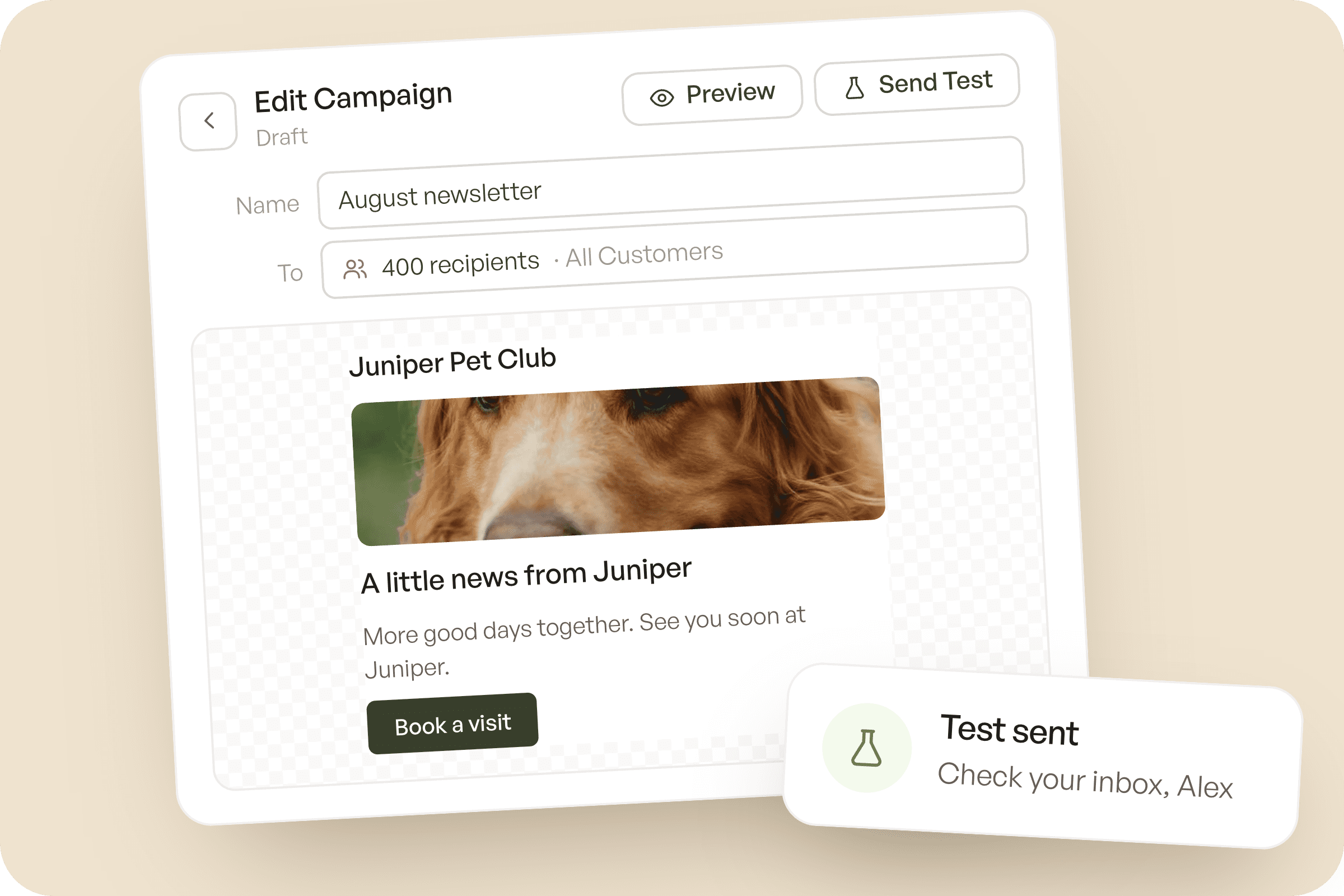
Create it once. Make it yours.
Choose a template, add your message and images, and check how the email looks on desktop and mobile. Send yourself a test, then save the design for next time. You can also duplicate a past campaign and update it for a new announcement.
Book a demo
Send when you’re ready. See what happens.
Send immediately or schedule delivery for later. Review delivery, open, click, and bounce results to understand how the campaign performed. Customer opt-outs are carried forward, so your next campaign respects their preferences.
Book a demo

Send when you’re ready. See what happens.
Send immediately or schedule delivery for later. Review delivery, open, click, and bounce results to understand how the campaign performed. Customer opt-outs are carried forward, so your next campaign respects their preferences.
Book a demo
Keep exploring other features

Customer Portal
Give customers a place to request their next visit and manage their pets, memberships, and payment details.
Customer Portal
Give customers a place to request their next visit and manage their pets, memberships, and payment details.
Customer Portal
Give customers a place to request their next visit and manage their pets, memberships, and payment details.

Staff Portal
Keep customer records, visit information, and account details together with your team’s daily work.
Staff Portal
Keep customer records, visit information, and account details together with your team’s daily work.
Staff Portal
Keep customer records, visit information, and account details together with your team’s daily work.