Keep lines moving with the self-service kiosk.

Give pet parents a self-service way to check in and make purchases. Keep your team available for the pets and people who need them.

Tato kiosk check-in screen

A simpler start to the visit.

Pink dog icon
Self-service arrivals

Customers can find their account, select their pets, and follow the check-in steps.

Pink dog icon
Self-service arrivals

Customers can find their account, select their pets, and follow the check-in steps.

Pink dog icon
Self-service arrivals

Customers can find their account, select their pets, and follow the check-in steps.

Orange dog icon
Visit requirements

Tato checks the requirements for entry and shows when staff assistance is needed.

Orange dog icon
Visit requirements

Tato checks the requirements for entry and shows when staff assistance is needed.

Orange dog icon
Better cash Flow

Tato checks the requirements for entry and shows when staff assistance is needed.

Cyan dog icon
Purchases

Customers can make purchases as part of their check-in.

Cyan dog icon
Purchases

Customers can make purchases as part of their check-in.

Cyan dog icon
Purchases

Customers can make purchases as part of their check-in.

From arrival to checked in.

Start with the customer’s account.

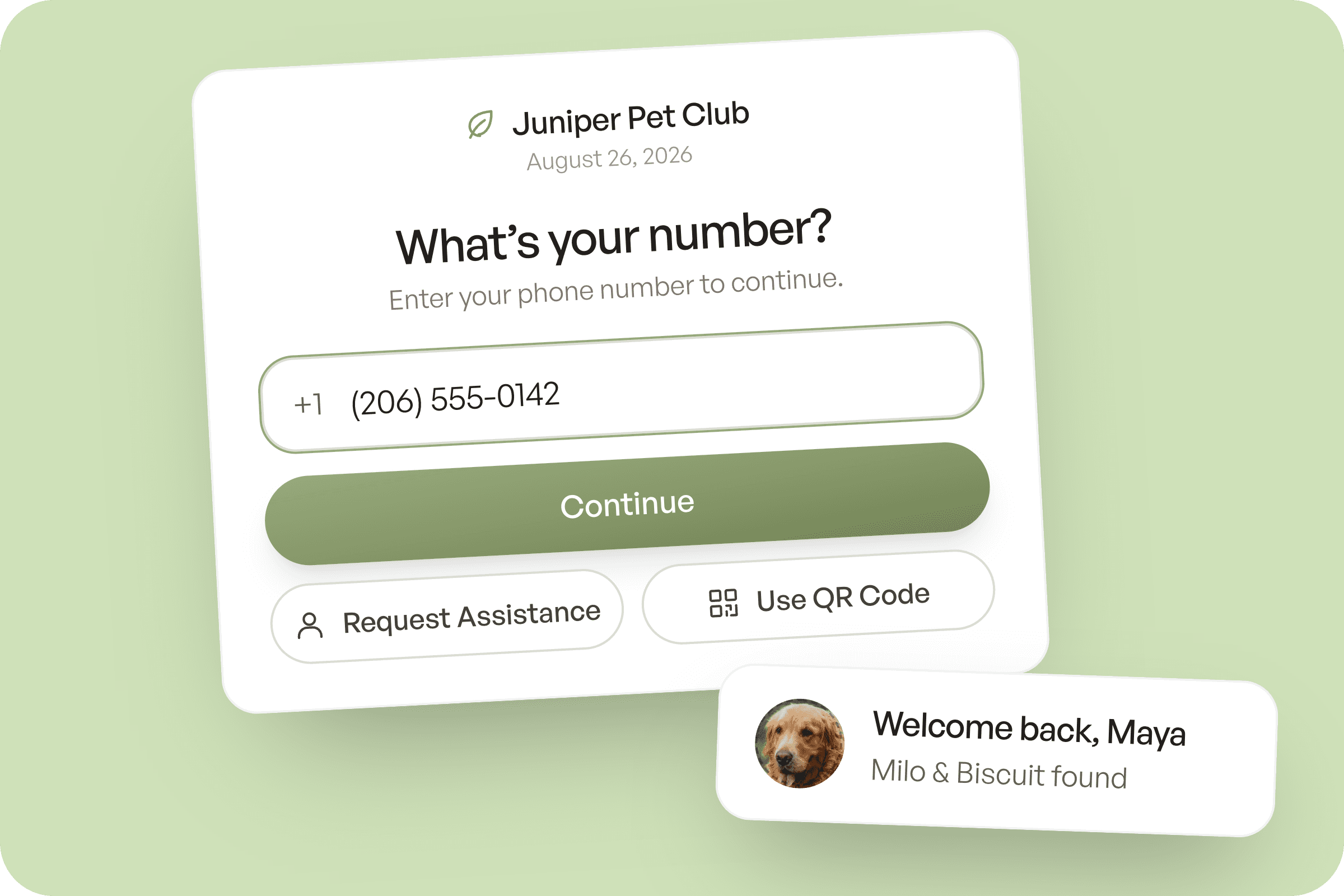
Pet parents use their phone number or QR code to find their account and choose the pets visiting today. At locations offering reservation check-in, the kiosk can also check in confirmed daycare and boarding arrivals scheduled for that day.

Book a demo

Kiosk phone number lookup with a welcome back confirmation

Start with the customer’s account.

Pet parents use their phone number or QR code to find their account and choose the pets visiting today. At locations offering reservation check-in, the kiosk can also check in confirmed daycare and boarding arrivals scheduled for that day.

Book a demo

Kiosk phone number lookup with a welcome back confirmation

Keep your entry requirements in place.

For Play Park visits, Tato checks vaccine status, required waivers, and membership or pass coverage. Customers can sign a missing waiver at the kiosk. If another requirement needs attention, the kiosk directs them to your team before completing check-in.

Book a demo

Kiosk Play Park waiver signature step

Keep your entry requirements in place.

For Play Park visits, Tato checks vaccine status, required waivers, and membership or pass coverage. Customers can sign a missing waiver at the kiosk. If another requirement needs attention, the kiosk directs them to your team before completing check-in.

Book a demo

Kiosk Play Park waiver signature step

Make sales with the kiosk.

A Play Park customer without coverage can purchase a pass or package during check-in. They can use a saved card or enter a new one, then continue with their arrival. Your staff can spend that time helping another customer.

Book a demo

Kiosk day pass purchase with payment successful confirmation

Make sales with the kiosk.

A Play Park customer without coverage can purchase a pass or package during check-in. They can use a saved card or enter a new one, then continue with their arrival. Your staff can spend that time helping another customer.

Book a demo

Kiosk day pass purchase with payment successful confirmation

Frequently asked questions

Kiosk questions, answered.

How does Play Park check-in work?

Pet parents find their household by phone number or QR and choose their dogs. The kiosk checks waivers and eligibility, applies pass coverage, then available pack credits, and takes payment for uncovered dogs before check-in. Your configured access-membership rule is a separate check.

Play Park

How does daycare check-in work?

The daycare kiosk checks in an existing same-day reservation. It does not create a booking or take daycare payment. Your team resolves a missing reservation or an unmet requirement.

Daycare

How does boarding check-in work?

The boarding kiosk checks in a same-day stay that is ready for check-in and has lodging assigned. It does not create a stay or take boarding payment.

Boarding

What hardware and staff setup do I need?

You use a staff-authenticated iPad kiosk with the services enabled for your facility. The kiosk is software; it does not operate a physical gate lock.

When does your team need to help?

Missing or unclear records, a missing reservation, lodging not assigned or another unmet requirement needs your team. Staff assistance stays part of the arrival workflow.

Book a kiosk demonstration